
Frugal
Smart price comparison tool with multilingual support
Compare prices per unit to find the best deals and save money on your purchases. Whether you're buying groceries, household items, or comparing product sizes, Frugal calculates prices per unit to reveal the true cost and help you make smarter shopping decisions. Fully localized in English, Russian, and Spanish with automatic language detection. All data is stored locally on your device for privacy.
Features
Comparison Modes
Weight Mode
Compare products by weight (grams/kilograms) or volume (milliliters/liters)
Quantity Mode
Compare products by quantity (pieces) for items sold individually
Automatic Calculation
Instantly calculates price per unit for easy comparison
Best Deal Highlight
Automatically identifies and highlights the product with the best value
Privacy & Offline
100% Offline
Works completely offline - perfect for use in stores
Local Storage
All data stays on your device - no internet required
App Screenshots
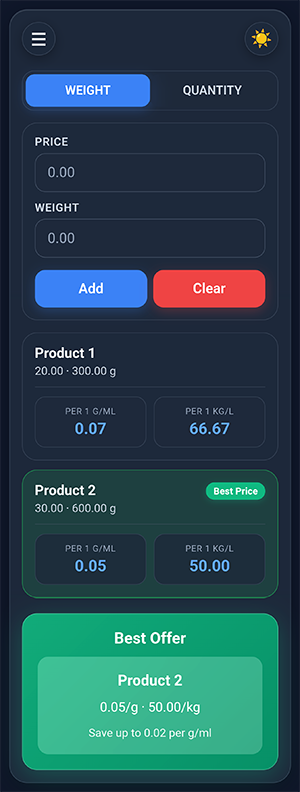
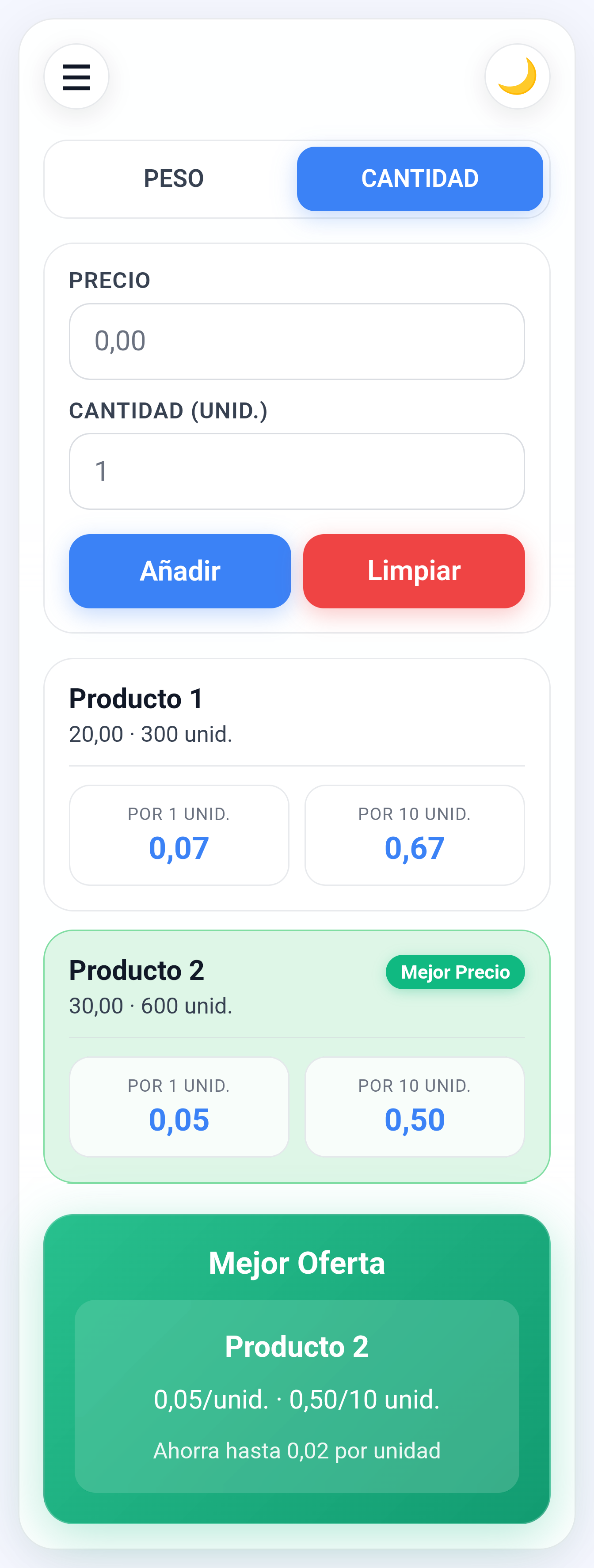
How to Use Frugal
Select Mode
Choose between Weight Mode (for grams/kg or milliliters/liters) or Quantity Mode (for individual pieces)
Enter Price
Input the total price of the product you want to compare
Enter Weight/Quantity
In Weight Mode: enter weight in grams or volume in milliliters
In Quantity Mode: enter the number of pieces
Add Product
Click "Add" to include the product in your comparison list
Repeat for all products you want to compare
Real-World Example
When comparing cereals:
- Product 1: 500g for $4.99 → $9.98/kg
- Product 2: 750g for $6.49 → $8.65/kg
- Product 3: 1kg for $8.99 → $8.99/kg
Frugal automatically calculates these unit prices and highlights Product 2 as the best value, even though it's not the cheapest package overall.
Installation Instructions for Android
1. Download APK
Click the download button above to get the Frugal APK file
2. Enable Unknown Sources
Go to Settings → Security → Enable "Install from unknown sources"
3. Install App
Open the downloaded APK file and follow installation prompts
4. Start Saving
Launch Frugal and begin comparing prices to save money!
Language Selection
Frugal automatically detects your device language and switches to English, Russian, or Spanish accordingly
The app is free to use, but if you find it helpful, you can support further development:
❤ SUPPORT THE DEVELOPER